Components and entities
A story keeps meeting the same kind of thing. There are goblins in the first encounter and goblins in the third, a sword that is forged in one chapter and swung in another. Ripple Effect answers with two ideas that are easy to run together: a component is what a goblin is, and an entity is this goblin, the one the story has made and a later board can find again by name.
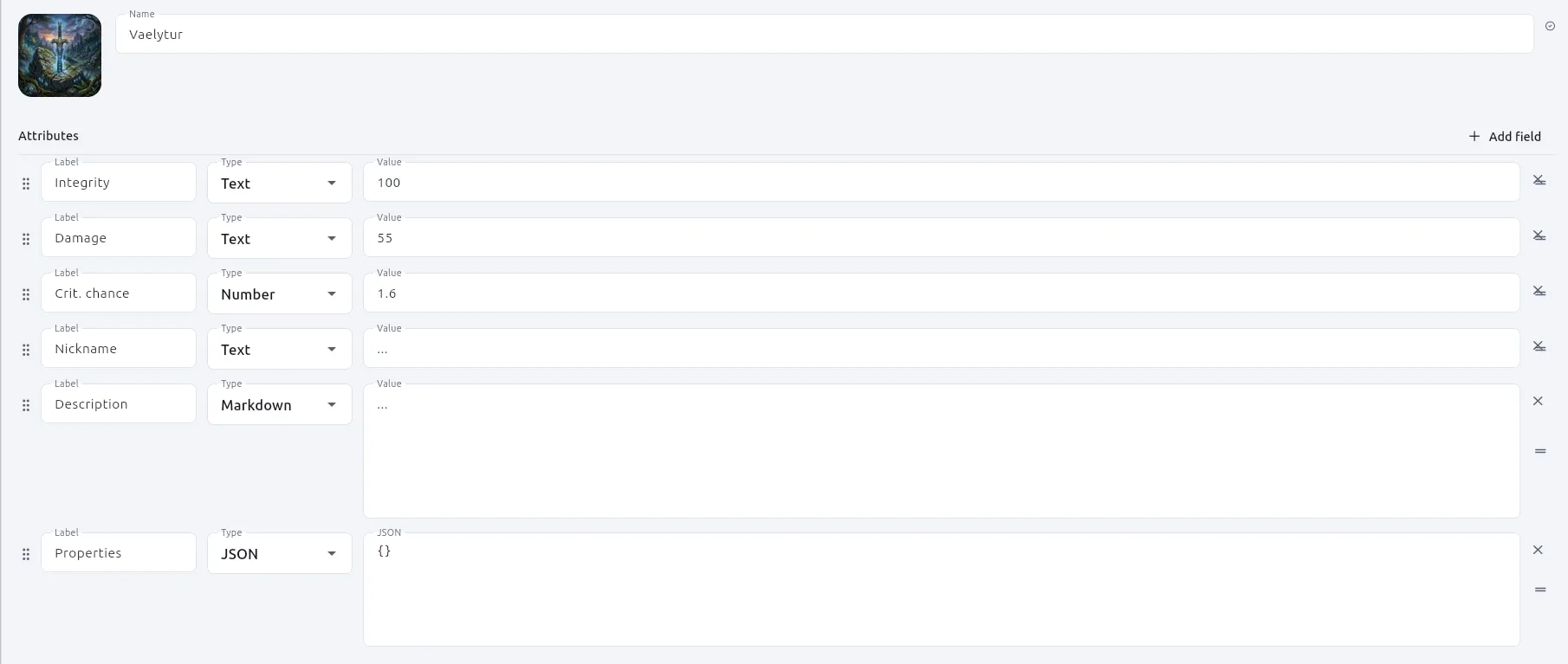
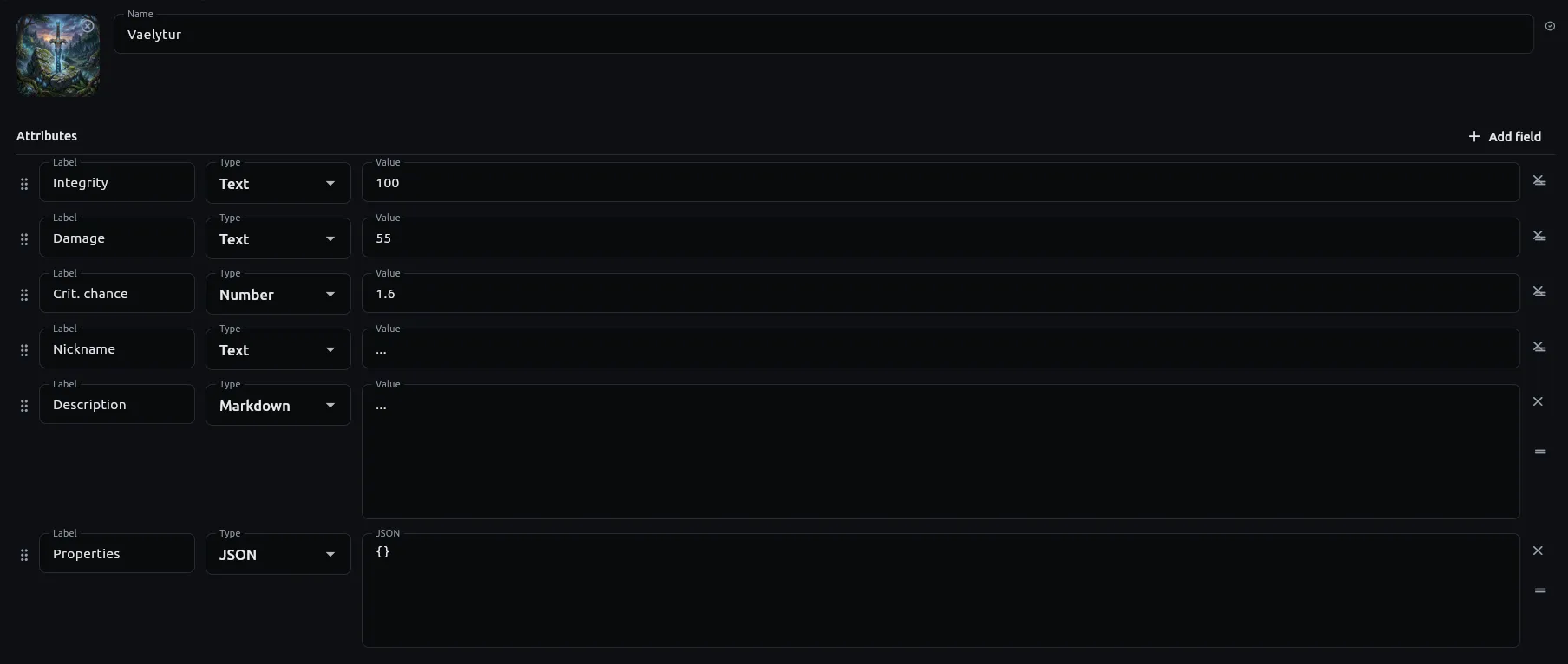
A goblin and this goblin
Section titled “A goblin and this goblin”A component is a character, a weapon, a place, a faction: a name, an optional cover picture and an ordered list of typed attributes. It lives in a *.component.json file in your project, like any other file you own, and it is the same on every playthrough. Hit points of 7 in the file means a goblin starts with 7.
An entity is what exists once the story is under way. It has its own hit points, and when a fight takes some of them away, the file does not change. That separation is the point of having two ideas. Authoring data stays authoring data; what a playthrough does to it stays in the playthrough.
There is deliberately no schema behind a component: you add what this story needs. Each attribute has a type, from the set every editor in the app offers, and the editor is a form over exactly that: a name, a cover and a row per attribute. Project files and the .ripple folder has the format, and Components and entities in Python has the type names a script sees.
Paths inside a component, a cover or an asset, are measured from the project root. That is a choice made for the folder: you can rename a folder or drag a component into it and every picture still points where it did. A cover picked from outside the project is copied inside first, for the reason a project is a folder: a path that only works on your machine is a hole in the story for everyone else. Because an attribute that points at a file is filled by name, not typed as a path, a picture renamed behind the app’s back shows up as a marked chip instead of a silent gap in an export.
Why a Component node has two modes
Section titled “Why a Component node has two modes”A Component node stands for a component file on a board. It has one typed output per attribute, plus one that carries the whole component as a map, and it is in one of two modes.
In Component mode it is a window onto the file: outputs, and nothing else. It reads the definition and changes nothing.
In Entity mode the node makes the story a thing, keyed by the name written on the node. This is what lets the same file stand behind many independent objects. Two nodes with two names are two swords. A node on a later board that names the same entity is the sword the first board made, and it finds that sword by name, not because anything was wired across.
Attribute inputs appear beside the outputs in Entity mode, and this is why the app has no Set node and no Get node for entities. A second node naming the same entity later in the story is the setter. A state change should be something you can point at on the canvas, and a node with a name on it, in a place on a board, is that.
A node whose name is wired from upstream makes one entity per name it is handed, so a loop that forges a sword a turn forges a sword a turn.
Many at once, and forgetting
Section titled “Many at once, and forgetting”Four more nodes work on entities, all under the Entities category of the node menu beside Component. Each is shaped by a question about what a story needs to do with a crowd.
Spawn makes many at once from one component, and hands their names on as a list so a script can give each one its own hit points. It makes the same ones every time: returning to a Spawn node finds the goblins it already made rather than six more, which is what lets a paused campaign resume into the encounter it left. The cost is that a second wave needs a different name. Its count and naming options are in the node reference.
Delete Entity forgets one by name, because the goblin is dead or the potion is drunk. Deleting a name nothing answers to is not an error: it removes nothing and the story carries on. The component file is untouched, so a node naming it later makes a fresh one.
Entity Exists answers whether the campaign still has one. Wire it into an If and the story decides for itself what a missing sword means, where a lookup that failed would have decided for it.
Entity Names answers every entity the story has made, as a list of names in alphabetical order, or only those made from one component. Wire names into a For node with a List at node and you can do something to each one, the goblins still standing two passages later for example, without a script.
Why a passage may read and not write
Section titled “Why a passage may read and not write”Python can do more than the nodes can, and it can read the same things. component_get("Goblin") answers the whole definition, types and all, and entity_create, entity_set, entity_rename and entity_delete let a Script node create, set, rename and delete entities.
The surface is wider than the boards would suggest, but it keeps one rule from the boards: a passage may read and not write. The reasoning is the one behind having no Set/Get pair: a state change should be something you can point at on the canvas. A script that wants to change an entity does it from a Script node, which is a box on a board, and a passage only reports what is true. How a story runs and Python in a story place that rule among the others.
Two details of that surface follow from keeping definition and entity apart. entity_get answers an entity’s attributes directly, so its dict has nowhere to record which component the entity came from without colliding with a real attribute label. entity_of answers that separately, and the two compose: component_get(entity_of("Goblin-1")) is the definition behind an entity.
The older component() function does the opposite of component_get and entity_get: an entity of the same name wins over the definition, so it shadows. A question about a definition should not depend on whether an entity has been made, which is why the replacements are two functions, one for each question, and neither shadows.
Why a playthrough is ephemeral
Section titled “Why a playthrough is ephemeral”Nothing a playthrough makes is written into your story. Entities live in the campaign window, and a saved game is what carries them past closing it. The component file is never touched by a playthrough.
screenshots/entities-panel-dark.png
The campaign window with the Entities panel open: entities grouped under the component they came from, a count on each heading, the search line at the top and a bin on each row.
The Entities panel in the campaign window shows everything the story has made, grouped under the component each came from. Every row has a bin on it, and nothing is asked first, because what you would lose is what this session did to that one sword, and the component file is untouched. Once you have used it, Start over is offered. The panel’s controls are in the campaign window reference.
Related
Section titled “Related”- How to use components and entities applies this on a board.
- How to read and change entities from Python does the Script node side.
- Components and entities in Python lists the functions.
- Project files and the .ripple folder has the component file format.
- The campaign window and saved games describes the Entities panel and what a saved game carries.