Passages and translations
A passage is Markdown. On a board it is a Narration node; on disk it is a localised passage, a folder the app shows as one file and that holds one .md per language the project has.
Directorychapters/
- the_gates.graph.json
Directoryreaching_the_gates.loc.narr.bdl/
- en-US.md the passage, in the language the story is written in
- it-IT.md its translation
- touch.json when each was last touched, so a clone can tell which is older
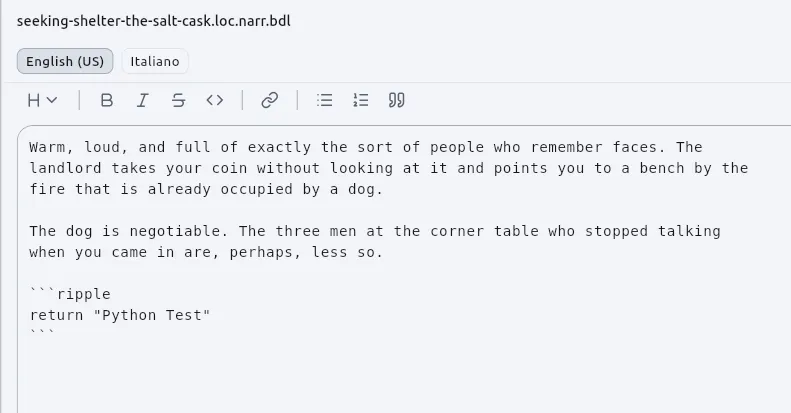
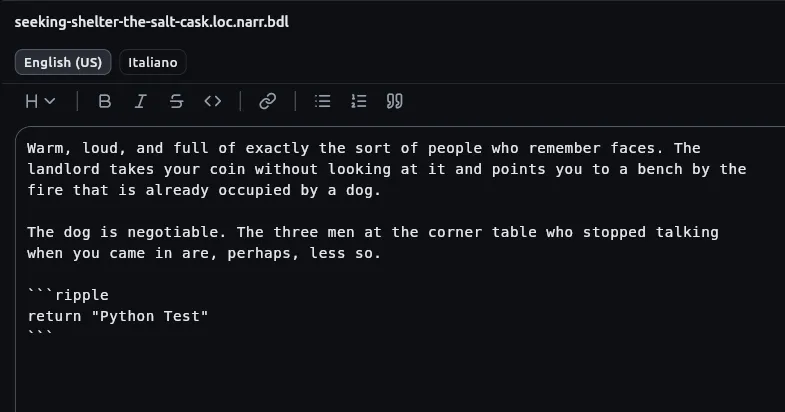
Most of what is unusual about passages follows from two decisions: a passage in several languages is one document, and what is on disk is still ordinary Markdown.
One document, several files
Section titled “One document, several files”The app presents the folder as a single document with a chip for each language. Underneath, each language is a plain Markdown file, so a translator handed the folder can work in any editor and a git diff of a translation reads as prose.
The app writes no special syntax into the text. The exceptions are the two places where a passage may hold Python, an inline {{ … }} span and a fenced ```ripple block, so that a sentence can vary instead of forking into two passages. A passage only reads; what that means is the subject of Python in a story.
Why a link starts with a slash
Section titled “Why a link starts with a slash”The Markdown editor is the same everywhere in the app: a live render, a formatting toolbar and image embeds, local and remote, raster and SVG. A picture picked from outside the project is copied into .ripple/external/ first, unless Import outside assets is switched off in the File menu. In that case it is linked where it is, and Messages says so. The steps are in How to write a passage.
A link the app writes starts with a slash, as in , and is measured from the project’s root, the way GitHub reads one. A passage is something you move: into another chapter, under another board, beside a renamed folder. A path measured from the passage would have to be rewritten each time. A path measured from the project’s root does not care where the passage sits, so the picture still points where it did.
A link written by hand without the slash keeps the meaning it always had: relative to the bundle’s parent folder, the way a file standing in the bundle’s place would read it. So  beside chapters/the_gates.graph.json means art/map.png. The bundle is a folder, but to the person writing it is a file, and the relative path is resolved as if it were one. Both forms work.
A passage is a template
Section titled “A passage is a template”A Narration node can be handed values, and the shape of that arrangement is worth stating. The names a passage reads are declared on the card, not in the passage file: a name and a type each, written the way every other card’s ports are. The card grows a port for each name, and whatever is wired into it is what the passage’s Python sees by that name. You owe {{ gold }} crowns. reads a number on the gold port. A slot with a default and nothing wired uses the default.
Putting the names on the card is what lets one passage be read by two cards that fill it differently. The prose is the file, the arguments are the card, and the passage is therefore a template rather than a one-off. A passage opened on its own, in its own tab, has no card to ask, so the names it was given are offered as you type only when you open it from a board. A name the card does not hand over shows as a small warning where it stood, and the rest of the passage renders as usual.
A name has to be a name Python can read, because it is a variable the script will use. A board that carries one that is not is reported as W.GE.15. The same rule holds for a Script node’s inputs and outputs. The exact rule is in Passages, choices, languages and reading time.
Choices run out and have conditions
Section titled “Choices run out and have conditions”A Narration node’s choices carry two limits besides their wording: how many times a playthrough may take them, and a question that must be true. Both leave the choice on screen when they say no, greyed out and unpressable. That is deliberate: a passage never quietly becomes an empty slide, and the reader and the author can both see that the option exists and is not available.
The two limits combine: three times, and only while you carry the lantern is one choice with both. The steps are in How to limit a choice.
Where the card that works out the answer sits matters, and this is the one place the layout of a board changes behaviour. A card hanging off the side of the board is worked out once, before the story starts, and answers the same for ever. A card in the flow that leads to the passage is worked out when the story gets there. So the cards belong in the flow. A Comparator reading a dice roll follows the same rule. The messages panel names a choice whose answer can never change (see Diagnostics), because the board looks fine and the story would simply never respond. Why the flow behaves like this is covered in How a story runs.
Languages and what changing them does
Section titled “Languages and what changing them does”The language a story is written in is chosen when the project is made. The starting point comes from your computer’s settings, but the choice is offered rather than applied on your behalf. The languages it is translated into are chosen in Project settings, on the Languages page.
Switching a translation language on puts an empty translation into every bundle. Switching one off deletes nothing: the files stay, the editor keeps showing them marked retired, and readers stop being offered that language. If you want the words gone, you are asked once, on save, and Keep them is the button under your finger; nothing is deleted by clicking through the dialog or dismissing it.
Project settings says what changing Written in will do. It does nothing to your prose. Every passage gets an empty file for the new language, and everything you have written stays where it is, as a translation. Until you carry it across, your passages play empty. There is no migration for that yet. The steps are in How to add, switch off or change a project’s languages.
Why file times cannot be trusted
Section titled “Why file times cannot be trusted”The locale chips along the top of a bundle each stand for one language. A dot on a chip means that translation is older than its source, and the Messages panel lists every one that has fallen behind across the whole project.
The obvious way to know whether a translation is stale is to compare the files’ modification times, and the app cannot. A git clone sets every file’s time to the moment of checkout, so file times cannot say which file is older. The information has to travel with the project, so it lives in touch.json in the bundle, recording when each language was last touched.
How the file is written follows from where it travels. It uses sorted keys and UTC times, so that saving it twice produces the same bytes and it stays quiet in a diff. A conflict between two translators is three lines a person can resolve rather than a merge nobody wants to read. See History, sharing and conflicts for the wider picture of working on a project with others.
Reading time
Section titled “Reading time”Under every passage is the word count on the left, and on the right a choice of reading pace, slow, average or fast, with the estimate beside it. It keeps up as you type, and the pace you pick is remembered.
The estimate counts the language you are actually writing in: fifty-four of them, each with its own reading speed, so a passage in German and the same passage in English come out at similar read times even though the word counts differ.
Counting by word fails outright for some scripts. Japanese, Chinese, Thai and Khmer are written without spaces between words, and counting those by the word gives an answer wrong by a factor of ten. They are counted by the character instead. A passage mixing scripts is counted as both, each part by its own rule.
The estimate also says how much to trust it. Seventeen of the languages carry figures from reading studies. The rest are worked out from a close relative, and the tooltip on the estimate says which one you are looking at. A number with false precision would be worse than one that admits where it came from.
Code does not count as prose. Python snippets and fenced blocks come out before anything is counted, and a link is worth the words you read rather than the length of its URL, since neither is read as text.
A passage that mixes languages can be counted as one, and The setting is off by default and switched on per project: paragraphs written in a language other than the passage’s own are found and priced at that language’s speed. It is a project setting because whether your prose mixes languages is a fact about the story, not about a passage or a reader. It is off by default because it reads every paragraph after each pause in typing. Short paragraphs are left alone, since a language guessed from one line is guessed, not known.
Related
Section titled “Related”- How to write a passage, for the editor, images and the Reads row.
- How to limit a choice and How to add, switch off or change a project’s languages, for applying what is described here.
- Passages, choices, languages and reading time, for the exact controls and defaults.
- Project files and the .ripple folder, for the bundle and
touch.jsonon disk. - How to play and test a campaign, for how the player shows a spent choice.