Passages, choices, languages and reading time
Localised passage
Section titled “Localised passage”A passage is Markdown. On a board it is a Narration node; on disk it is a localised passage, a folder named *.loc.narr.bdl that the app shows as one file. It holds one .md per language the project has.
Directorychapters/
- the_gates.graph.json
Directoryreaching_the_gates.loc.narr.bdl/
- en-US.md the passage, in the language the story is written in
- it-IT.md its translation
- touch.json when each was last touched, so a clone can tell which is older
| File | Contents |
|---|---|
<locale>.md |
The passage in that language, as ordinary Markdown. |
touch.json |
When each language file was last touched. Written with sorted keys and UTC times. |
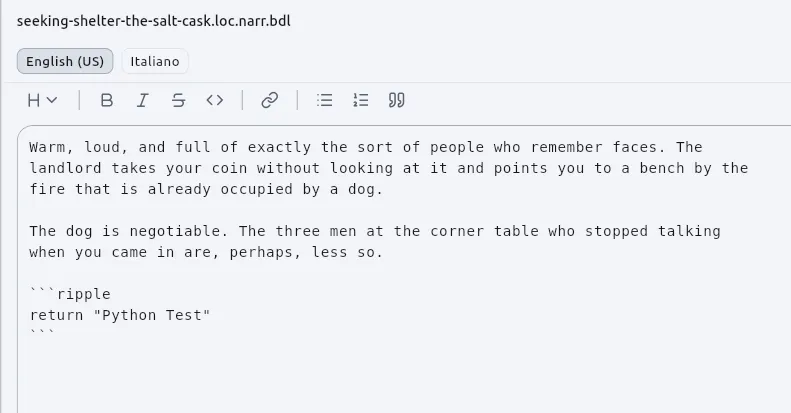
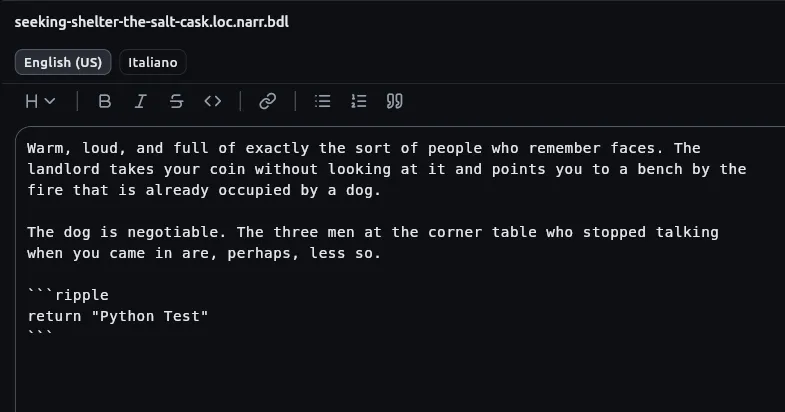
Writing
Section titled “Writing”Double-click a Narration node to write in it. The editor is the Markdown editor the app uses everywhere: a live render, a formatting toolbar, and image embeds (local and remote, raster and SVG).
| Control | Behaviour |
|---|---|
| Drop a file on the editor | The link is written. |
| Image button (beside Link, in every Markdown editor: a passage, a bundle, a document open in a tab) | Offers the project’s pictures, documents and sounds by name as you type. For anything outside the folder, accepts a URL or a path. Writes ; the selection becomes the alt text, otherwise a prompt is left selected. |
| Picture from outside the project | Copied into .ripple/external/ first. With Import outside assets switched off in the File menu it is linked instead, and Messages says so. |
Link spellings
Section titled “Link spellings”| Spelling | Resolves against |
|---|---|
Starts with a slash,  (what the app writes) |
The project’s root. |
No leading slash,  |
The bundle’s parent folder, as a file in its place would be. Beside chapters/the_gates.graph.json, this means art/map.png. |
Python in a passage
Section titled “Python in a passage”Two places hold Python: an inline {{ … }} span and a fenced ```ripple block. A passage only reads. See Python in a story and Python reference.
The Reads row sits at the bottom of the Narration card, beside the soundscape the node brings. It shows how many names the passage is handed and opens the dialog where they are declared: a name and a type each, written as every other card’s ports are.
| Rule | Detail |
|---|---|
| Port per name | The card grows one port for each declared name. |
| Reading a name | The passage’s Python reads it by name: You owe {{ gold }} crowns. with a number on the gold port. |
| Default | A slot with a default and nothing wired uses the default. |
| Owner | The names belong to the card, not to the passage file. One passage can be read by two cards that fill it differently. |
| Name not handed over | A small warning shows where it stood; the rest of the passage renders as usual. |
| Completions | Opened from a board, the card’s names are offered as you type. Opened in its own tab, they are not: there is no card to ask. |
Name rule
Section titled “Name rule”A name is a letter or an underscore, then letters, digits and underscores. A Python keyword such as class is refused, with the reason shown under the field. A board that carries a name Python cannot read reports W.GE.15. The same rule holds for a Script node’s inputs and outputs. An Output node’s rows and an Input node’s fields are read by people, so Your roll is valid there.
Choices
Section titled “Choices”A Narration node’s choices carry two limits besides their wording. When either says no, the choice stays on screen, greyed out and unpressable. The reason is in Passages and translations.
| Limit | Where | Values | Card mark |
|---|---|---|---|
| Times | The Times box beside the choice’s name | Blank: unlimited. A number: how often one playthrough can take the choice. Once used up the choice stays on screen, greyed out. | ×3 at the end of the choice’s row. |
| A question | A small input on every wired choice’s row | A bool wired into it: the choice is offered only while it is true. |
The input on the row. |
The two combine: three times, and only while you carry the lantern is one choice with both.
A card hanging off the side of the board, outside the flow that leads to the passage, is worked out once before the story starts and answers the same for ever. The Messages panel says so and names the choice (Diagnostics). A Comparator reading a dice roll follows the same rule. The cards themselves are in Nodes; to build the limit, see How to limit a choice.
Languages
Section titled “Languages”| Setting | Where | Behaviour |
|---|---|---|
| Written in | Chosen when the project is made. The starting point comes from the computer’s settings; the choice is offered rather than applied. It decides the name of the file every passage is written into, such as en-US.md. |
Changing it leaves your prose alone: every passage gets an empty file for the new language and everything written stays where it is as a translation. Until carried across, passages play empty. There is no migration. |
| Translated into | Project settings, Languages page. Project settings pages are General, Languages, Writing, Narration roots and Capabilities. | See the actions below. |
| Action | Effect |
|---|---|
| Switch a translation language on | An empty translation is put into every bundle. |
| Switch a translation language off | Nothing is deleted. The files stay, the editor shows them marked retired, and readers stop being offered the language. |
| Switch off with text written in the language | Asked once, on save. Keep them is the focused button. Clicking through or dismissing the dialog deletes nothing. |
Stale translations
Section titled “Stale translations”The locale chips along the top of a bundle each stand for one language. A dot on a chip means that translation is older than its source. The Messages panel lists every translation that has fallen behind, across the whole project.
Age is read from touch.json, not the filesystem, because a git clone sets every file’s time to the moment of checkout. touch.json is written with sorted keys and UTC times so it stays quiet in a diff.
Reading time
Section titled “Reading time”Under every passage: the word count on the left, and on the right a choice of reading pace (slow, average or fast) with the estimate beside it. It updates as you type, and the chosen pace is remembered.
| Rule | Detail |
|---|---|
| Languages | Fifty-four, each with its own reading speed. |
| Counted by character | Japanese, Chinese, Thai and Khmer, which are written without spaces between words. |
| Mixed scripts | A passage mixing scripts is counted as both. |
| Sources of figures | Seventeen languages carry figures from reading studies; the rest are worked out from a close relative. The tooltip on the estimate says which applies. |
| Code | Python snippets and fenced blocks are removed before counting. A link counts as the words read, not the length of its URL. |
| Mixed-language passages | Off by default; a per-project setting. When on, paragraphs in a language other than the passage’s own are found and priced at that language’s speed. Reads every paragraph after each pause in typing. Short paragraphs are left alone, since a language guessed from one line is guessed, not known. |
The arithmetic is the separate package dart_read_time: pure Dart, MIT.